AirtableBar
#1 AT Menu App

Airtable usage, right in your menu bar.

I built it because I kept opening Airtable settings just to check usage. Now I don't.

Positive early reviews Always free for 1 workspace v1.0.10 macOS 14+ Windows Waitlist
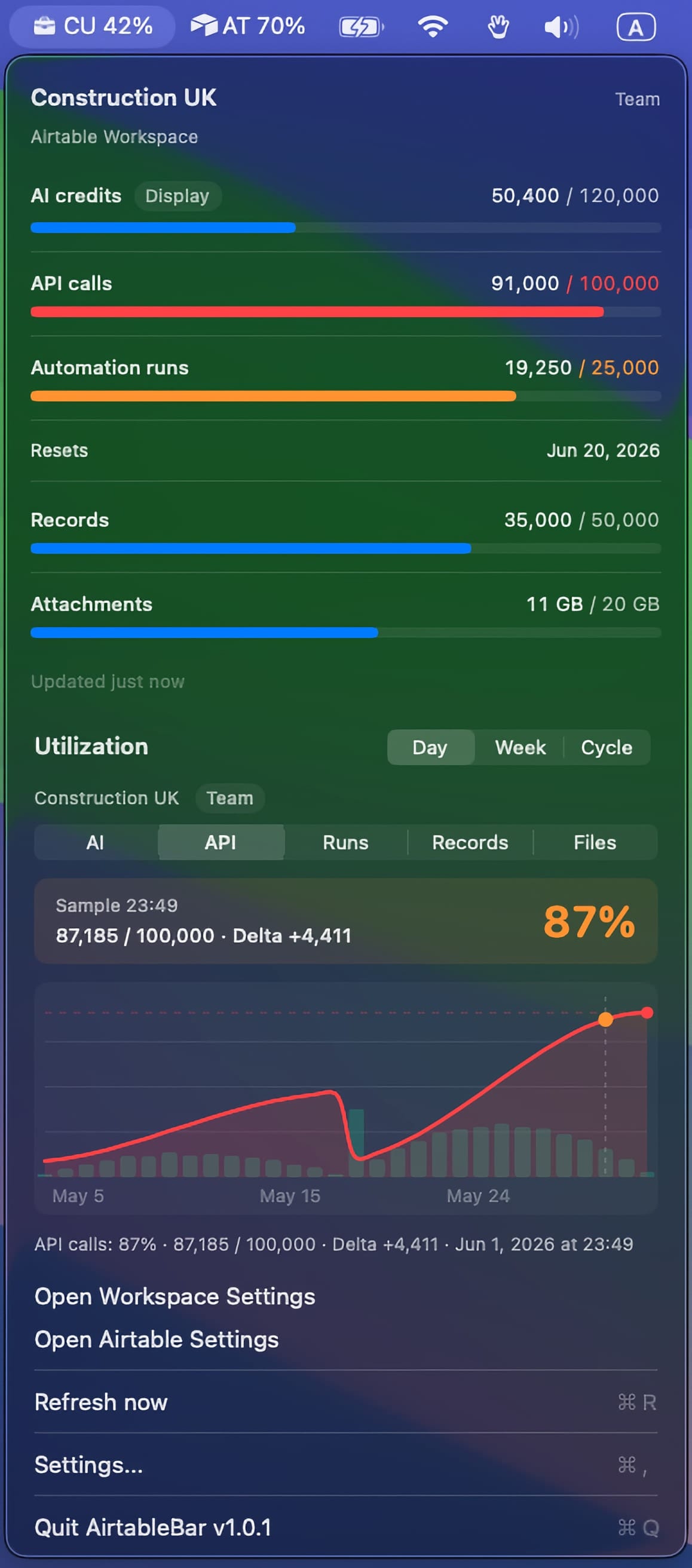
AirtableBar dark menu bar dropdown showing Airtable workspace quota bars and a utilization chart
What it shows you

Small app. Useful signals.

Six things AirtableBar puts in front of you, without you opening Airtable.

Quotas at a glance

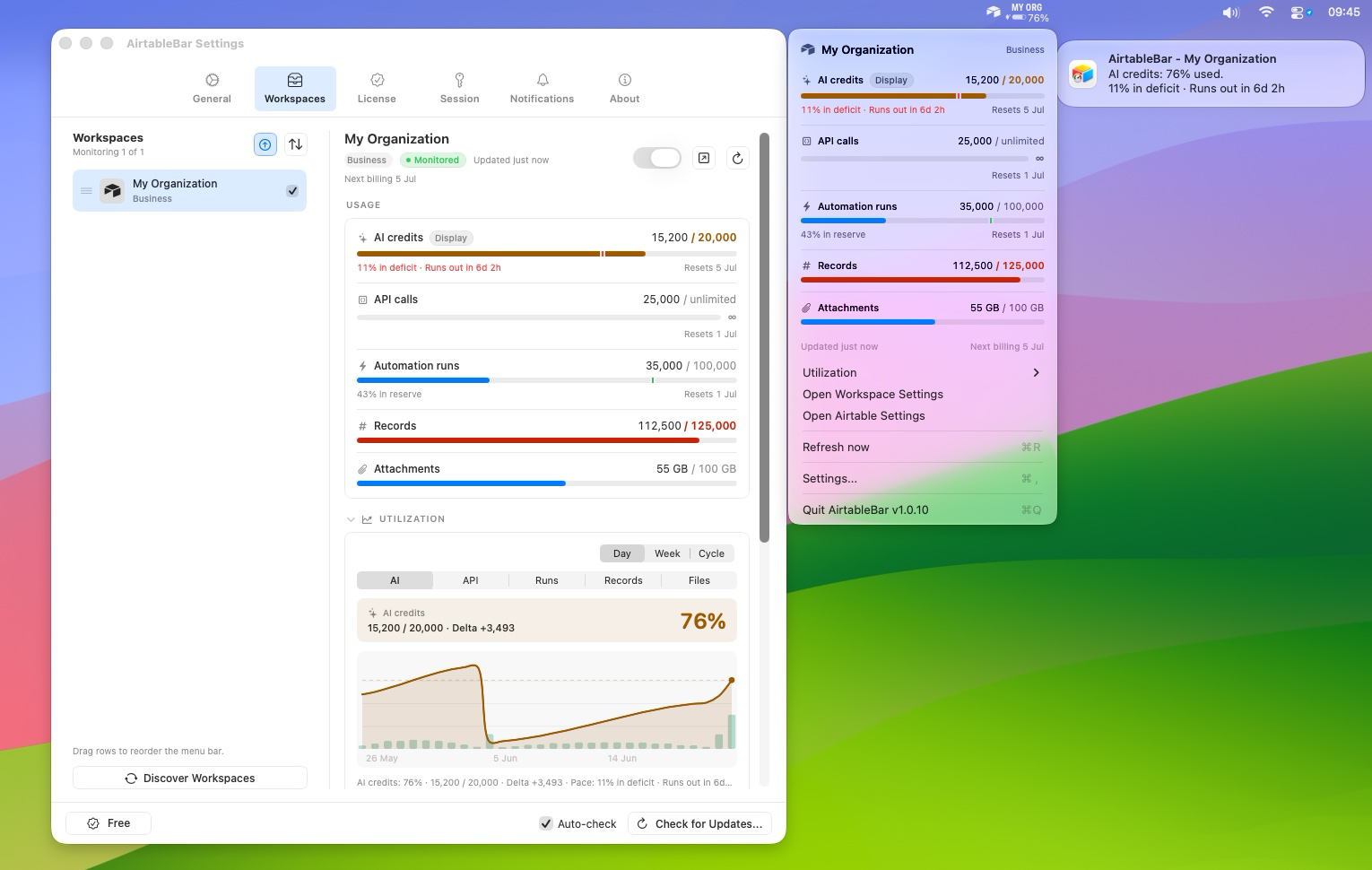
Per-workspace usage bars in the menu bar dropdown. AI credits, API calls, automation runs, records, attachment storage. No tab switching.

Utilization and forecasts

Day, week, and cycle utilization charts, with reset dates and forecasts. See whether usage is normal, growing, or likely to run short before reset.

Alerts before limits bite

Threshold and forecast alerts when AI credits, API calls, or automation runs are burning faster than the cycle allows.

Multiple workspaces, tidy labels

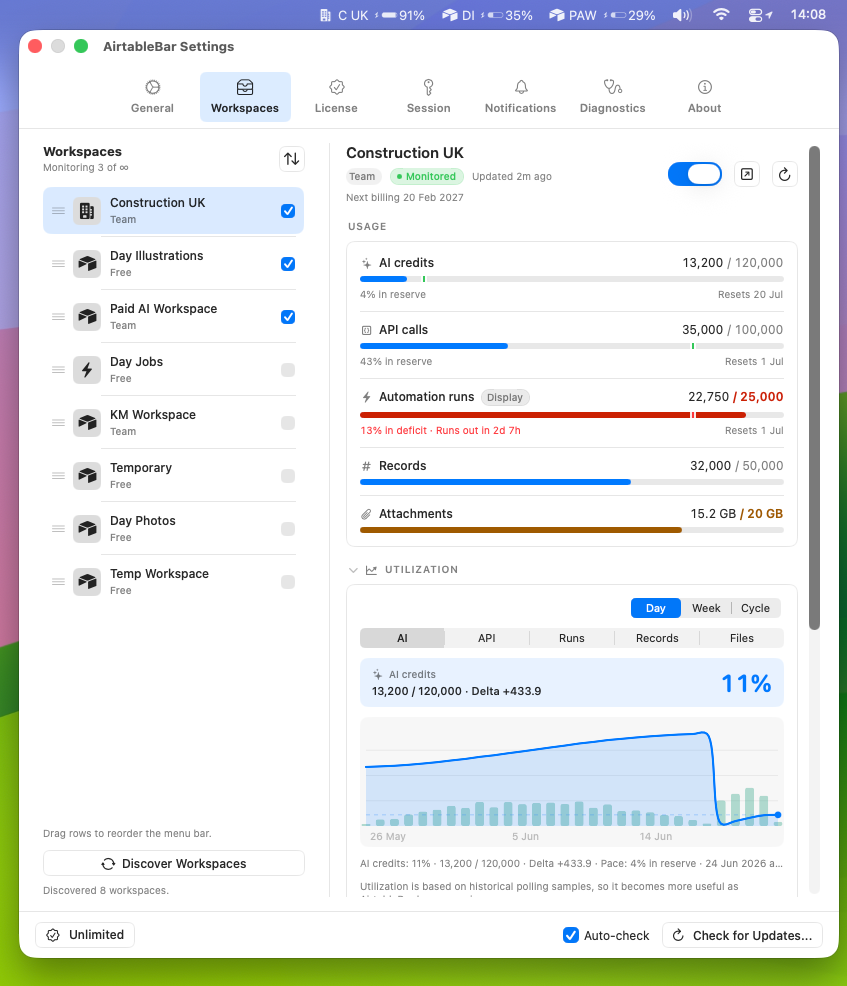
Monitor the workspaces your Airtable account belongs to. Custom names, icons, order, and compact menu bar labels keep busy setups readable.

Stays on your Mac

Local-first. No in-app analytics, no behavioral tracking. Airtable cookies and local history stay on your Mac.

Why this exists

I built it for myself.

I'm a no-code builder. Airtable runs my client work and a chunk of my own operations.

I kept opening Airtable every hour to check if a workspace was close to its quota. AI credits would spike out of nowhere when an automation went sideways, and I'd only find out when something stopped working.

AirtableBar is what I made so I could stop checking. It lives in your menu bar and runs locally on your Mac. It talks to Airtable for usage, and to airtablebar.com for license and update checks. Airtable cookies and monitored workspace usage never go to AirtableBar.

If your work depends on Airtable not running out of quota at the wrong moment, it's probably for you too.

— Maks, AirtableBar

Pricing

Free works for most people.

Every available feature is included on every plan. Plans are for one Airtable account; you only pay for how many workspaces that account can monitor.

Free
$0
no payment required

  • 1 workspace
  • All available features included
  • History, alerts, and forecasts
Recommended
Pro
$29
one-time

  • 3 workspaces
  • All available features included
  • Standard support

7-day refund, no questions

Unlimited
$79
one-time

  • Unlimited workspaces
  • All available features included
  • Priority support

7-day refund, no questions

A workspace is your Airtable container that holds bases, the top-level grouping. Personal and single-team setups usually have one workspace; agencies tend to have one per client. Workspace limits count workspaces that the licensed Airtable account is a member of. Unlimited is not a multi-account or team license for multiple Airtable logins.

Payments are handled by Stripe/Link. Receipt and license key emailed instantly.

Reviews

Questions

Honest answers.

Setup

What's an Airtable "workspace"?
In Airtable, a workspace is the container that holds your bases, your top-level grouping. Personal and single-team setups usually have one. Agencies tend to have one per client.
What does AirtableBar monitor?
Workspace-level usage and limits: AI credits, API calls, automation runs, records, attachment storage, reset dates, and utilization history. Polling is adjustable, from frequent checks to quieter background intervals.
Does it read my base data?
No. It does not read table rows, field values, formulas, views, comments, or files. It asks Airtable for workspace usage totals and stores usage history locally on your Mac.
Why does it need browser cookies?
AirtableBar uses your existing Airtable session so Airtable can answer authenticated workspace usage requests. Browser import happens locally, cookie values stay on your Mac, and you can paste a manual Cookie header instead if you prefer.
What should I allow in macOS Files & Folders?
On newer macOS versions, including macOS 27, open System Settings → Privacy & Security → Files & Folders → AirtableBar, then turn on the browser where you are signed into Airtable. For example: Brave Browser, Firefox, or Google Chrome. View screenshot of this setting.
Why is a workspace missing?
Usually because you are signed into a different Airtable account or browser profile, or because only a base was shared with you. AirtableBar can discover workspaces whose usage settings Airtable exposes to the current account.
How do I send diagnostics if something breaks?
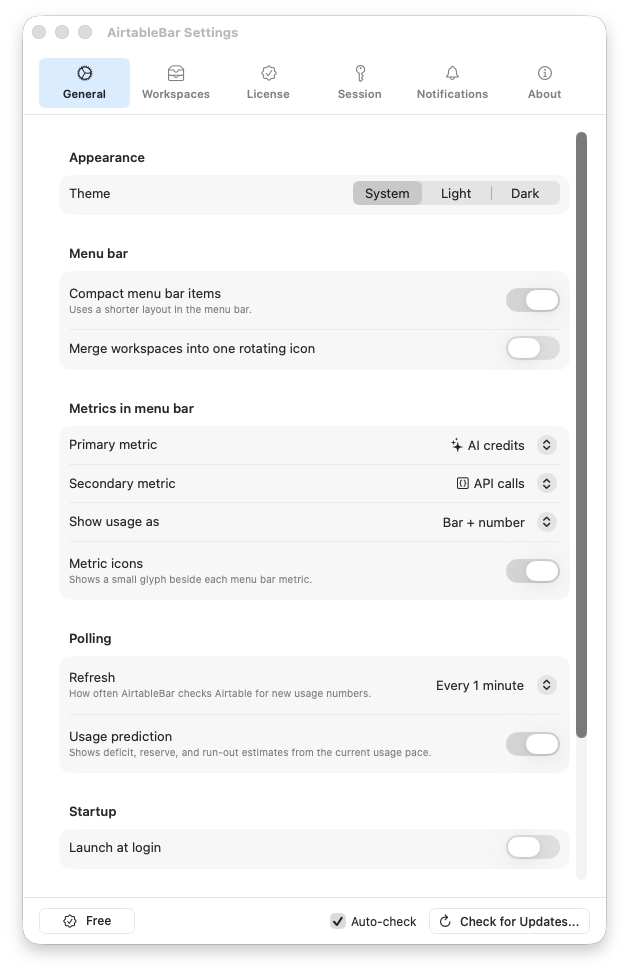
Open AirtableBar Settings → General, enable Diagnostics, then use the Diagnostics tab. The Email Diagnostics button asks for confirmation, prepares a password-protected attachment with AirtableBar diagnostics, and opens an email to support. It redacts auth secrets such as cookies, tokens, and license keys.
Is there a Windows version?
Not yet. AirtableBar is Mac-only today, and a Windows version is being considered. If you would use it on Windows, send feedback so I can gauge demand and prioritize the port.

Monitoring

Can it guarantee I won't hit my limits?
No. The app polls Airtable on an interval, so usage can change between checks. What it does is make your usage visible early, send alerts when usage crosses thresholds you set, and keep utilization history visible so you can react before a surprise becomes expensive.
How accurate are usage forecasts?
They are estimates from local history, current usage, quota, and reset date. A sudden spike can change the forecast, so AirtableBar updates it as new usage checks come in.
What happens if usage spikes?
AirtableBar sends a macOS notification and keeps the spike visible in the menu bar charts. It does not promise to prevent every quota issue; it gives you the signal early enough to check the automation, pause the workflow, or adjust the workspace before the cycle gets away from you.
Is the AI kill switch available to everyone?
Not immediately. The Airtable AI kill switch is planned as an Alpha and will roll out gradually by use case. Monitoring, history, and alerts work without it. If you want to participate when Alpha access opens, email your use case to hello@airtablebar.com.
What if Airtable changes how usage data works?
I ship updates. AirtableBar reads usage through your authenticated Airtable session, the same way Airtable shows you usage on the settings page. If anything stops working, I fix it. If a fix isn't possible, paid customers get a refund.

Licensing

Do you offer a trial?
Free is the trial for most people: 1 workspace, all available features included. There is no time-boxed paid trial; paid tiers only increase workspace count and support level.
What's the refund policy?
Paid purchases include a 7-day no-questions-asked refund window. After a refund, the paid license stops validating and the app falls back to the Free workspace limit.
Can I use one license on multiple Macs?
Yes. A paid license binds to your Airtable identity, not your Mac. Use the same license on any Mac where you are signed into that same Airtable account.
Can I use Unlimited with several Airtable accounts?
No. A license is tied to one Airtable identity. Unlimited means you can monitor every workspace that Airtable account is a member of. It is not a team license for multiple Airtable logins.
What if I change jobs or switch Airtable accounts?
Use the license rebind form. It emails a confirmation before releasing the current Airtable account binding, then your next activation from the new Airtable account claims the license.
Can I upgrade from Pro to Unlimited later?
Yes. Buy Unlimited normally, then email hello@airtablebar.com within 30 days with your old Pro receipt or license key. I will manually refund the old Pro purchase once I can match it.
Do future versions cost extra?
Patches and minor updates inside the current major version are included with your license. If a future major version ships with significant new features, it may be a paid upgrade, but existing customers will get a discount; I won't ask you to pay full price twice.